
A UPS is often the better starting point when the priority is keeping a desktop computer or storage device running through a brief power interruption. A solar generator can be useful when you need enough stored energy to continue working through a longer outage. Some current power stations also provide UPS functions, so the exact model matters more than the category name.
For a home office, separate two requirements: surviving the moment power disappears and having enough energy to keep working afterward. A system can meet one requirement while falling short on the other.
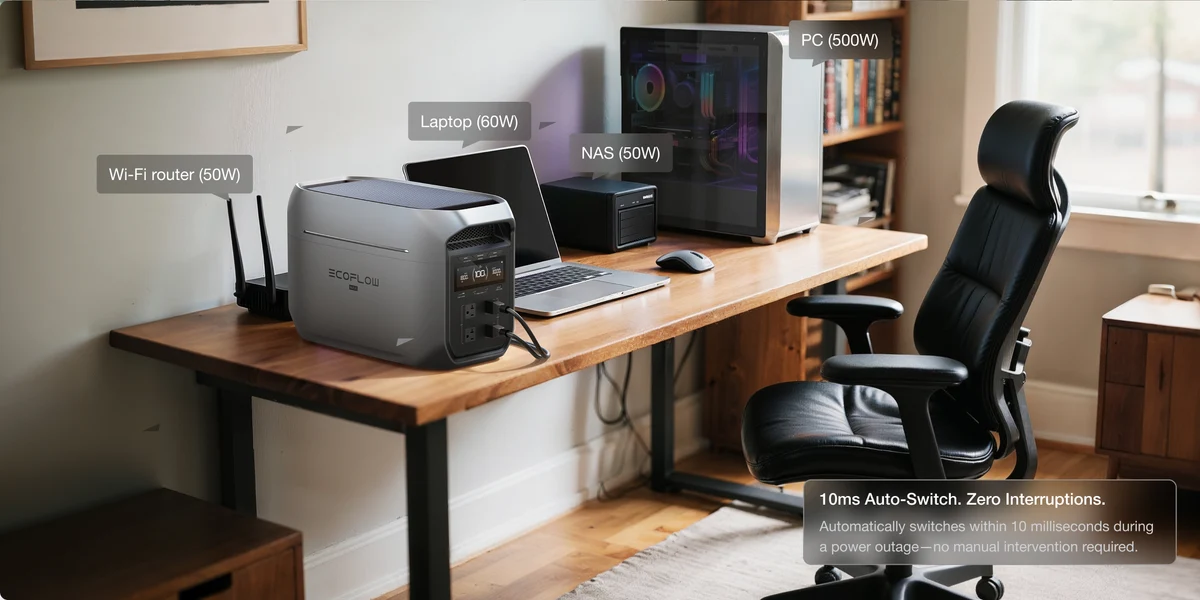
Start With the Equipment You Need to Protect
A laptop already has an internal battery. During an outage, its immediate problem may be a powered-off monitor, docking station, modem, or router.
A desktop computer has no equivalent built-in reserve. Its power supply must tolerate the backup system’s handover. Storage equipment may also need enough time and suitable communication to shut down properly.
Write down which devices need uninterrupted operation and which merely need power available later.
Include the complete working setup. A computer that remains on is less useful if its display loses power or the network equipment restarts. Conversely, battery capacity spent keeping an unnecessary peripheral running reduces time available for essential equipment.
This gives you a clearer buying brief than simply asking for a battery large enough to power an office.
Understand What “UPS” Means for Switching
UPS designs do not all operate in the same way.
| Design | How it normally supplies equipment | What to check |
| Standby UPS | Uses utility power, then transfers to its inverter when required | Transfer time and battery-mode waveform |
| Line-interactive UPS | Uses utility power with voltage regulation, transferring to battery when needed | Regulation range, transfer behaviour, and output compatibility |
| Online double-conversion UPS | Normally supplies equipment through its inverter continuously | Operating mode, bypass behaviour, noise, and efficiency |
| Power station with a UPS or backup mode | Operation depends on the particular design | Supported use, actual transfer specification, and bypass limits |
An online double-conversion UPS has no transfer interruption when moving from normal double-conversion operation to battery operation. Standby and line-interactive designs generally involve a handover.
Some modern power stations also have fast transfer specifications suitable for supported computer applications. Others provide emergency backup with a longer interruption.
Avoid assuming that every product marked “UPS” behaves identically, or that every solar generator will restart a computer. Compare the documented behaviour with the needs of your actual equipment.
A pure sine-wave output can help establish electrical compatibility, but it does not by itself prove that a computer will tolerate the transfer.
Compare Runtime at Your Actual Load
Output power and stored energy answer different questions.
The watt rating establishes how much equipment the source can supply at once. A UPS may also have a volt-ampere rating; connected equipment must remain within both applicable limits.
Runtime depends on the load and available battery energy.
Suppose an illustrative office uses:
| Equipment | Assumed operating power |
| Desktop computer | 140W |
| Monitor | 30W |
| Modem and router | 20W |
| Total | 190W |
With an assumed delivered AC-energy budget of 800Wh:
800Wh ÷ 190W ≈ 4.2 hours
This is a worked estimate, not a product runtime claim. Computer demand changes with workload, and the backup source also has operating losses.
A solar generator can provide useful extended runtime when its available capacity and operating features suit the office. A UPS designed for external battery packs can also offer longer operation, so neither category has a universal time limit.
For a UPS, use the manufacturer’s runtime curve at a load close to yours. A product advertised as “1500VA” does not contain 1,500Wh of stored energy.
For a power station, distinguish nominal battery capacity from energy delivered at its outlets. A capacity figure alone does not include the effect of the actual load, settings, reserve level, and operating conditions.
Check Shutdown and Recovery Behaviour
Keeping equipment powered is only part of protecting work.
If an outage outlasts the battery, the computer or storage system still needs to stop safely. Some UPS units communicate with supported operating systems through USB or a network connection to initiate shutdown.
Some power stations offer comparable functions; others do not. Confirm compatibility with your equipment and software rather than assuming that a USB port provides power-management communication.
Also establish what happens when utility power returns. Does output resume automatically after battery depletion? Does the computer restart? Can the required backup settings operate without an internet connection?
For network equipment with a small load, check any automatic output timeout settings. A source that switches off while apparently idle may interrupt devices that need continuous power.
These details can be more valuable than a modest increase in battery capacity.
Decide How Much Solar Charging Helps the Office
The battery supplies equipment indoors. Solar panels need a suitable location and a compatible connection to replenish it.
For someone who primarily needs several minutes to save work and shut down, panels may add little to the immediate task. For someone trying to work through a longer outage, solar can contribute energy if deployment and weather permit.
Assess the charging opportunity you actually have. A shaded balcony, limited outdoor access, or a short winter charging window changes how useful panels will be.
Powering the modem and router also does not guarantee internet access. The provider’s equipment outside your home may have lost service. Before budgeting for a full working day, consider whether your work can continue offline or through another available connection.
Choose Around the Interruption You Can Accept
For a desktop or storage system where continuity and orderly shutdown come first, prioritise documented transfer behaviour, equipment compatibility, and working shutdown support.
For a laptop-based office that mainly needs hours of additional energy, a suitable power station may cover the job more directly. A UPS-capable model can also combine continuity with longer runtime where its specifications support the setup.
Save your work and test the chosen arrangement under a representative load. If you plan to use a UPS with another backup source upstream, confirm that the manufacturers support the combination.
The right purchase protects the way you work. Establish that requirement first, then pay for the runtime that makes the outage manageable.