

A buying trip takes the team out of the office, but it does not pause the business. Supplier invoices still need approval, store managers still need answers, and a buyer may be reviewing an order between appointments on a trade-show floor.
For retailers, travel can expose weak spots in otherwise familiar routines. Buyers leave on sourcing trips and executives work the floor at trade shows. Meanwhile, invoices keep arriving while everyone is away from their usual desks and routines. Three gaps tend to open up at once: the networks teams connect to, the payment requests that arrive while they travel, and the devices they carry.
Hotel and show-floor networks
Trade show halls, hotels and airport lounges all offer Wi-Fi, and most of the services retail teams use, from email to supplier portals, now encrypt their connections. That protects passwords and messages in transit. The network operator may still see some information about where a device connects, and in a crowded convention centre it’s easy to join a hotspot that only looks official.
Use your organisation’s approved remote-access method, whether that is a corporate VPN or a managed cloud login. An independent retailer considering a free VPN can use it to add an encrypted tunnel for traffic routed through the service. That reduces what the local network can observe. It does not verify supplier websites or replace the security settings on a work device. Check the provider’s data practices and get IT approval before installing anything on company equipment.
Avoid using shared business-centre computers for banking, email or supplier accounts. You cannot assess what software is installed or who has access to the machine. Your own updated device gives you more control. Carry a charger and power bank as well, so a low battery does not force you to borrow equipment just before an important approval.
One caution for sourcing trips: some countries restrict or regulate VPN use. Check the rules for each destination before you travel, and ask your IT provider or legal adviser if you’re unsure.
Logging in to head office from abroad
A working internet connection does not guarantee access to every account. Banks and business platforms may challenge unfamiliar devices, locations or IP addresses. Some also restrict VPN connections. Prepare for those checks before leaving Canada, rather than treating them as a problem to work around from a hotel lobby.
Check the full sign-in process on each essential system. Can the traveller receive a verification code abroad? Is the authenticator available on the device they will carry? Who can approve a time-sensitive order if the buyer cannot log in? Keep official support details available without needing access to the affected account.
A Canadian VPN server gives traffic routed through it a Canadian exit IP address. That is different from a familiar or trusted connection: a bank may recognise the address as belonging to a VPN and still block or challenge it. It also does not grant access to a private head-office network. Follow the bank’s guidance and the company’s approved access process.
For a buying team, the useful backup is an authorised colleague with their own account and a clear approval limit. Agree on the handover before the trip. A supplier deadline should not pressure someone into sharing passwords, sending verification codes to a colleague or skipping the normal payment check.
The payment request that arrives while you’re away
Travel creates the conditions that payment fraud depends on: people are busy, decisions get made on phones, and the usual person who would double-check is often in a different time zone.
In May 2026, the CAFC described a case in which fraudsters targeted a Quebec business during a high-value commercial transaction. They impersonated legitimate contacts and manipulated emails to send false payment instructions, and the business authorized two wire transfers before banks flagged problems with the beneficiary account. About $3.5 million had been recovered at the time of the release, largely because the fraud was reported quickly.
Watch for warning signs such as:
- Requests to change banking or payment details.
- Pressure to skip normal approval steps.
- Email addresses that look almost, but not exactly, like known contact’s.
- Unexpected wire instructions or requests to pay a new account.
- Past-due notices for invoices that have already been paid.
The simplest defence is a firm rule: any change to payment details is confirmed by phone, using a number already on file, before money moves. That rule matters most when the person who would normally check is on a plane.
It also helps to brief the accounts payable team before a major trip. Let them know which suppliers are likely to be in contact, which payments are scheduled, and who is authorized to approve changes while senior staff are away. A fraudster’s email loses much of its power when the person receiving it already knows what to expect.
Devices that travel
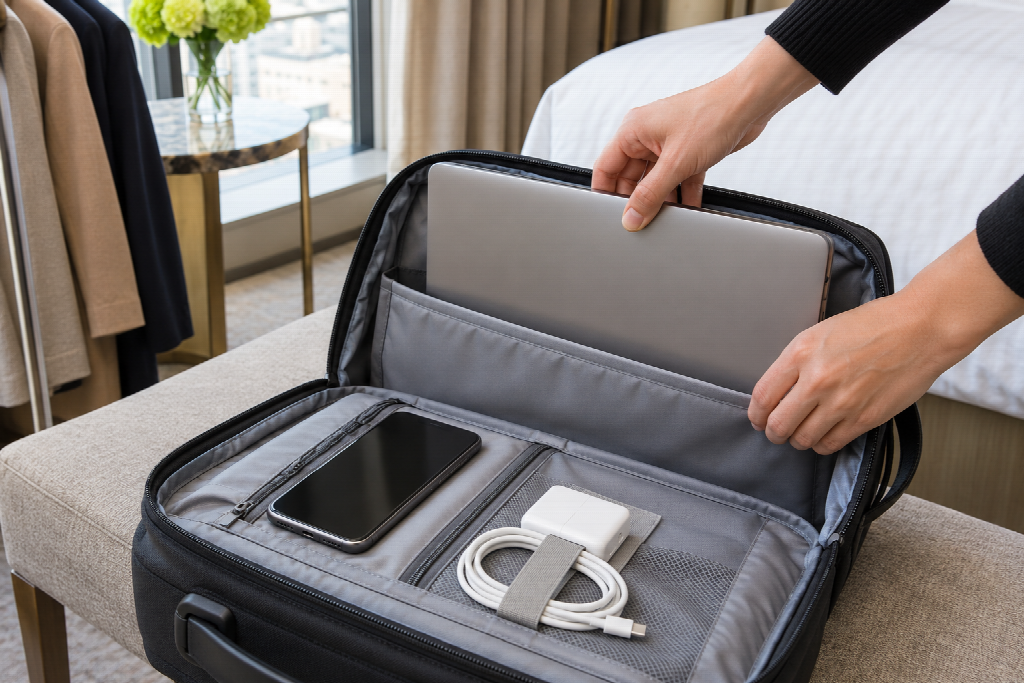
Laptops and phones that leave the country carry supplier pricing, customer data and access to internal systems. A few habits limit the damage if one goes missing:
- Travel with only the files and access needed for the trip.
- Turn on multi-factor authentication for email, banking and key business systems.
- Confirm device encryption, screen locks and remote-management options with IT before departure.
- Agree in advance who to call, and how quickly, if a device is lost or stolen.
A lost device also creates an operational problem. Keep a current backup of essential work and make sure another authorised person can retrieve the documents needed to continue the trip. Remote wiping is useful only if it was configured beforehand and the device can receive the command; it should not be the whole recovery plan.
A pre-trip checklist for retail teams
- Test the approved remote-access method on the devices staff will carry.
- Check local rules on VPN use for each destination.
- Make sure travellers can receive verification codes abroad.
- Remind the whole team, including those staying home, that payment changes are confirmed by phone.
- Review which devices and files are really needed on the trip.
- Share a single contact for reporting lost devices or suspicious requests.
Some changes need only a short briefing; others may require IT work or a budget. Prioritise reliable account access, payment verification and a clear response to lost devices. Decide those rules before the trip, so nobody has to invent them on a show floor or in a hotel lobby.