Being a YouTube creator can feel like a balancing act. You want to get great videos out there regularly, but you also want them to feel like you, right? It’s the classic speed versus originality puzzle. So, what’s the answer? Do you go for the quick and easy route with templates or get down and messy with custom edits, putting your spin on everything?
Well, guess what? You might not have to choose! Today’s YouTube video editor tools, especially cool ones like Wondershare Filmora, are getting smarter. They’re packing AI smarts, tons of ready-to-use templates, and the creative strength to make videos that truly shout you.
Let’s take a look at how you can use both to make your channel pop.
| Navigation Part 1: Template-Based Editing—The Fast Track to Content Creation Part 2: Custom Editing—Crafting Unique, Stand-Out Videos Part 3: How Filmora Supports Both Styles? Conclusion |
Part 1: Template-Based Editing—The Fast Track to Content Creation
Seriously, who hasn’t spent ages fiddling with an intro when they’d rather be focusing on the actual meat of their video? That’s where templates in a YouTube video editor can be a real lifesaver.
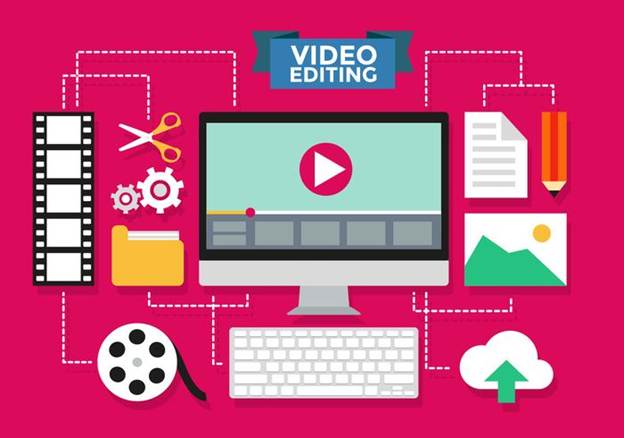
Image Name: youtube-video-editor-1.jpg
Alt Text: template editing
Why Use Templates in a YouTube Video Editor?
Templates are a fantastic shortcut, especially if you fall into these categories:
- Newbies: Are you just dipping your toes into YouTube waters? Templates offer a gentle way to create polished videos without getting lost in the technical weeds.
- Marketers on the Go: Need to whip up promotional clips or announcements quickly? Templates keep your branding consistent and speed up your workflow.
- Time-Strapped Creators: Let’s face it, time is gold. Templates help you stick to a regular upload schedule without compromising on video quality.
Key Benefits:
- Fast and Easy: Seriously, it’s often just a case of dragging, dropping, and making a few tweaks. Templates slash editing time.
- Built-in Brand Vibes: Lots of templates come with pre-designed goodies like logo reveals, intro/outro sequences, and handy subscribe animations, helping you build a recognizable brand across all your videos.
- Consistent Look and Feel: Keep your channel looking professional and unified.
Perfect For:
- How-to guides
- Product showcases
- Important updates
- Quick social media promos
Wondershare Filmora‘s ever-growing library of over 2.3 million templates and creative assets makes template use simple!From eye-catching titles to smooth transitions, you’ll have plenty of options to make your videos look great with just a few clicks.
Part 2: Custom Editing—Crafting Unique, Stand-Out Videos
While templates are useful for getting things done quickly, the true power of custom editing lies in telling your story your way. Paying attention to details is critical if you want to create videos that truly connect with your audience and build a devoted following.
Image Name: youtube-video-editor-2.jpg
Alt Text: custom editing
Why Custom Edits Matter in a YouTube Video Editor:
- Total Creative Control: You’re the boss of every single element—colors, effects, the rhythm of your story, everything.
- Personal Touch: Craft narratives that truly reflect your personality and style.
- Building Your Visual Identity: Custom edits let you develop a unique visual style that makes your videos instantly recognizable.
To do the custom edits, professional video editing software like Filmora makes it easy to put your creativity into videos. If you don’t know how to create a youtube video from scratch, then filmora has everything for you.
The Wondershare Filmora gives you a powerful set of advanced tools for detailed custom editing:
- Next-Level Features: Take your editing up a notch with things like motion tracking to seamlessly blend graphics with moving stuff, precise keyframing for detailed animations, professional color grading to set the perfect mood, and cool speed ramping effects for a cinematic feel.
- Smart AI Helpers: Filmora also has some clever AI tools to make tricky tasks easier:
- Text-to-Video: Turn your written words into engaging video content without a fuss.
- Speech-to-Text: Quickly get accurate subtitles, making your videos more accessible and engaging.
- Smart BGM: Let AI find and sync background music that perfectly matches the vibe of your video.
Custom editing is perfect for creators who want to build a strong, long-term connection with their viewers by delivering truly unique and captivating content.
Part 3: How Filmora Supports Both Styles?
The real beauty of Wondershare Filmora is how it smoothly blends the efficiency of templates with the creative power of custom editing. It’s not about choosing one over the other; it’s about using both strategically.
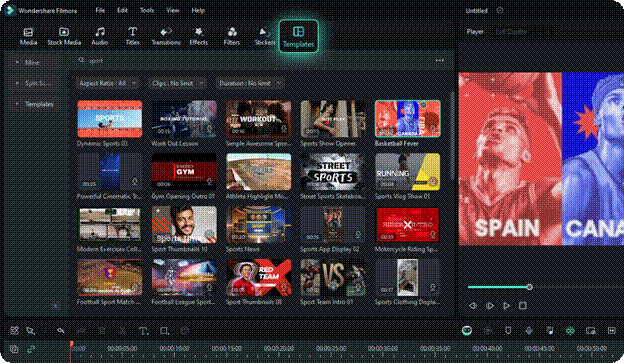
Image Name: youtube-video-editor-3.jpg
Alt Text: filmora
Templates for a Running Start:
Filmora offers a wide variety of ready-made templates specifically for YouTube, including
- Catchy intros and outros to grab and keep your audience’s attention.
- Dynamic templates for those quick-hit YouTube Shorts.
- Stylish vlog templates to make your personal stories look great.
- Eye-catching subscribe buttons and calls to action to help your channel grow.
These templates give you a solid foundation, saving you precious time in the initial stages of your video creation.
Customization to Make it Yours:
Once you’ve got a template you like, Filmora’s intuitive timeline lets you tweak every single detail. You can easily change colors, fonts, text, music, and more to match your brand and vision. Dive into the huge library of professional-looking effects, transitions, and overlays to add your own creative flair. Plus, the advanced audio tools make sure your sound is just as polished as your visuals.
AI Tools: Bridging the Gap
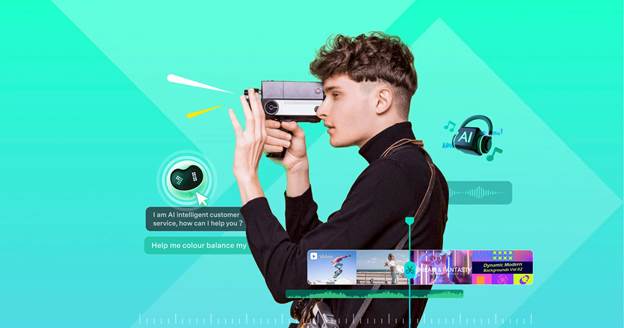
Image Name: youtube-video-editor-4.jpg
Alt Text: filmora
Filmora’s built-in AI tools make this even easier:
- AI Thumbnail Generator: Create compelling thumbnails in seconds, helping you get more clicks and views.
- Smart Short Clips: Easily find and extract the most engaging parts of your longer videos, perfect for creating those attention-grabbing shorts.
- AI Subtitle Generator: Make your content accessible to more people and boost engagement with accurate and customizable subtitles.
- Auto Reframe: Automatically adjust your landscape videos to fit those mobile-friendly portrait screens, reaching a wider audience.
Whether you’re making short, punchy videos or in-depth, long-form content, Filmora gives you the tools and the flexibility to tailor your editing style to exactly what you need. It’s a video editor for YouTube videos that really gets the different demands of content creation.
Conclusion
So, what’s the big takeaway for growing your YouTube channel? It’s all about finding what works for you. Templates in a YouTube video maker are super handy for getting started and saving time, no doubt. But when you really want to connect with your audience and build your brand, that’s where custom editing shines. The smart move? Try a bit of both. Use templates to get your content flowing, and then sprinkle in your own creative magic as you get more comfortable and want to really make things your own. Download filmora today and bring the perfect balance to video editing.