
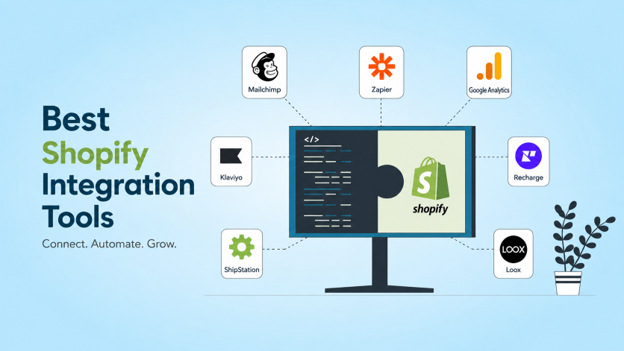
Running a Shopify store today means wearing about a dozen hats at once. You are managing orders, keeping stock levels in check, running ads, handling customer inquiries, and somehow trying to keep your books clean at the same time. Most store owners do all of this across a tangle of spreadsheets and browser tabs. What actually fixes that chaos is the right set of integrations; tools that talk to each other so you do not have to carry information between them manually.
Before you get into the apps themselves, it is worth knowing what your store is actually paying to run. A free Shopify transactions fee calculator can show you the exact transaction costs on your current plan, which often changes how merchants think about their app budget and which integrations are worth paying for.
The Shopify ecosystem has grown to over 13,000 apps in its App Store, with the average merchant running around six of them. The platform now powers businesses in more than 175 countries, and its merchants collectively generated over $1.6 trillion in cumulative sales through 2025. For Canadian sellers specifically, the integration landscape carries a few extra wrinkles; GST/HST compliance, cross-border fulfillment, and US market entry all create needs that general ecommerce advice does not always cover.
This post walks through the integrations that actually matter, broken down by the part of your business they touch.
Accounting and Finance
Getting your books right is not optional, and it is the area where most growing stores start bleeding money quietly. Shopify payouts do not equal revenue; by the time fees, refunds, chargebacks, and timing differences come out, the number hitting your bank can look very different from what your dashboard shows. Accounting integrations exist specifically to bridge that gap.
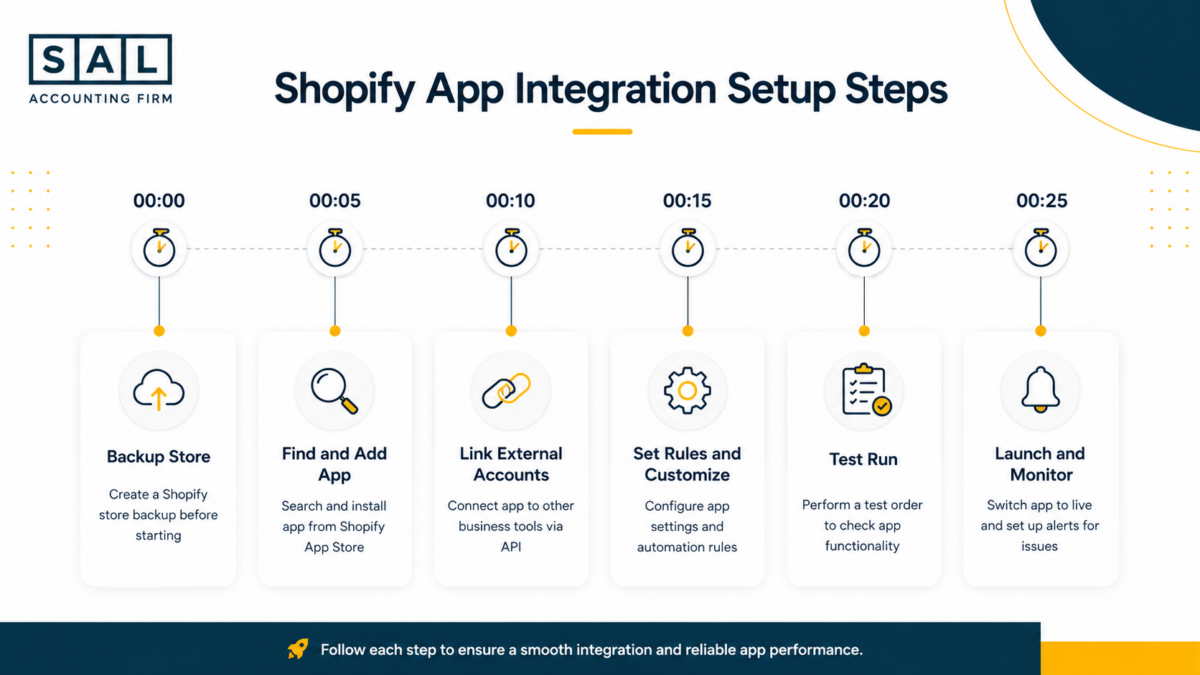
A2X is the tool that most Shopify accountants reach for first. It pulls payout data from Shopify and maps it cleanly into QuickBooks or Xero, matching each deposit to its components: fees, refunds, adjustments. Setup takes around 15 minutes, and it starts at $19 per month. For a solo store owner doing a single channel, it is usually all you need.
Synder handles more complex situations. If you are selling across Shopify, Amazon, and Etsy simultaneously, Synder pulls all three data streams into one reconciled view. It connects with more than ten accounting platforms and handles the kind of multi-currency, multi-channel volume that breaks simpler tools. It starts at $29 per month and has a free trial worth taking before committing.
For Canadian sellers, the practical win here is cleaner GST/HST records. When your accounting software is pulling structured data directly from your sales channels rather than working from bank statements, you are not reconstructing history at filing time; the numbers are already there.
A practical setup tip: start with A2X if you are running one store and move to Synder when you add a second channel. Both link cleanly to Xero, which adds about 30% accuracy on reconciliation compared to manual entry, according to merchant reporting on G2.
Email Marketing and Customer Retention
Most Shopify stores have a leaky funnel. Customers add to cart and leave. They buy once and never return. Email and SMS marketing integrations exist to close both of those gaps.
Klaviyo is the dominant tool in this space, and for good reason. It pulls behavioral data directly from Shopify; what people viewed, what they added to cart, what they bought; and uses that data to build segments that actually mean something. Its AI-driven send-time optimization and abandoned cart flows are responsible for a meaningful share of recovered revenue for DTC brands. It starts free and scales to around $100 per month for larger lists. Setup takes about 20 minutes.
Omnisend is the better choice if you want to blend email, SMS, and push notifications into a single campaign. It is particularly useful for Canadian brands that want something built with privacy compliance in mind from the ground up. It handles CASL alongside US CAN-SPAM requirements, and its drag-and-drop builder does not require any technical background to use well. Free tier available, with paid plans starting at $59 per month.
Both tools deliver measurable results on abandoned cart recovery. Merchants who run structured flows on either platform generally see open rates two to three times higher than broadcast emails, which makes the subscription cost recover itself quickly.
Fulfillment and Inventory
Order fulfillment is where operational bottlenecks show up first as a store scales. Manual label printing, stock counts that fall behind real sales, and oversells during peak periods are all symptoms of the same problem: fulfillment data is not connected to the rest of the store.
ShipStation is the practical fix for shipping. It batches label creation, compares carrier rates across UPS, FedEx, Canada Post, and others, and routes orders based on rules you set. During high-volume periods like holiday season, the time saved on label printing alone justifies the $9 per month starting price. It connects to Shopify in about 10 minutes and requires no technical knowledge to run.
Stocky handles the inventory side. It forecasts demand based on sales history, sends low-stock alerts, and syncs count across channels in real time. For Canadian sellers running Shopify alongside Walmart Canada or another marketplace, keeping stock numbers aligned is what prevents oversells and the GST filing headaches that come with them. Starts at $29 per month, with a free mobile app for on-the-go checks.
The two tools pair well together. ShipStation handles what goes out; Stocky handles what you have left. Running them together cuts fulfillment errors and keeps inventory records clean enough to support accurate bookkeeping.
Analytics and Reporting
Advertising spend without clear attribution is just guessing. The analytics tools in Shopify’s ecosystem range from free and surprisingly powerful to premium and genuinely indispensable for larger stores.
Google Analytics 4 is the right starting point. It tags Shopify events automatically once installed, tracks traffic sources and conversion paths, and uses AI to surface trends in the data. It is free, installs in about 10 minutes, and gives any store owner a clear picture of where buyers are coming from and where they drop off.
Triple Whale is what stores graduating past $10,000 per month typically move to. It unifies Shopify data, ad account data, and email performance into custom dashboards, and its attribution modeling is more reliable than what you get from individual ad platforms. At $99 per month, it is not a casual purchase, but for brands spending meaningfully on paid traffic, the visibility it provides on true ROAS tends to pay for itself.
The practical approach is to run both: GA4 as the baseline layer and Triple Whale on top once advertising spend makes attribution genuinely important.
CRM and Customer Support
Customer relationships do not manage themselves. Support tickets that pile up, repeat customers who feel like strangers, and missed upsell opportunities all trace back to the same gap: there is no system tracking who your customers are and what they need.
Gorgias is the support tool built specifically for Shopify. It pulls order history into every live chat and ticket, which means your support team sees the customer’s purchase record without switching tabs. AI-suggested replies handle common questions automatically. At $10 per month to start, it is accessible for stores of almost any size.
HubSpot’s free CRM connects to Shopify to track leads and build customer pipelines. The free core is genuinely useful for smaller stores, and the $20 per month Pro tier adds enough automation to justify upgrading once you start working systematically on retention. Its 1,000-plus integrations mean it fits into almost any existing tech stack.
For Shopify sellers looking to work with a specialist on the financial side of their store, working with an accountant for Shopify sellers who understands platform-specific data; payouts, fees, chargebacks, cross-border flows; can save significant time during tax season and surface the kinds of margin issues that get missed when bookkeeping is treated as an afterthought.
For merchants managing industrial products, equipment, or B2B operations, integrating e-commerce platforms with reliable suppliers and inventory systems is becoming increasingly important. Companies such as EMC Industrial help businesses streamline procurement and access a wide range of industrial products that support day-to-day operations. By leveraging solutions from EMC, online stores can improve supply chain efficiency, maintain accurate product availability, and create a more seamless purchasing experience for their customers.
Product Pages and Social Proof
Nobody buys from an empty page. Social proof tools exist to fill product pages with real evidence that other customers have bought and liked what they purchased.
Loox collects photo and video reviews from customers and displays them on product pages in a format that looks good on mobile. For stores with more than 200 SKUs, the auto-collection feature pulls photos by product variant, which means pages stay populated without manual curation. Starts at $9.99 per month.
Judge.me is the faster and more affordable alternative. It imports existing reviews, adds star ratings, and includes SEO markup that helps product pages perform in Google search. The free tier is functional enough for most stores; the $15 per month Pro version unlocks customization and higher volume.
Stacking either tool with an SEO app tends to improve conversion rates meaningfully. Displaying top reviews prominently on product pages, particularly on mobile, consistently lifts trust signals and reduces bounce rates.
How to Pick the Right Stack
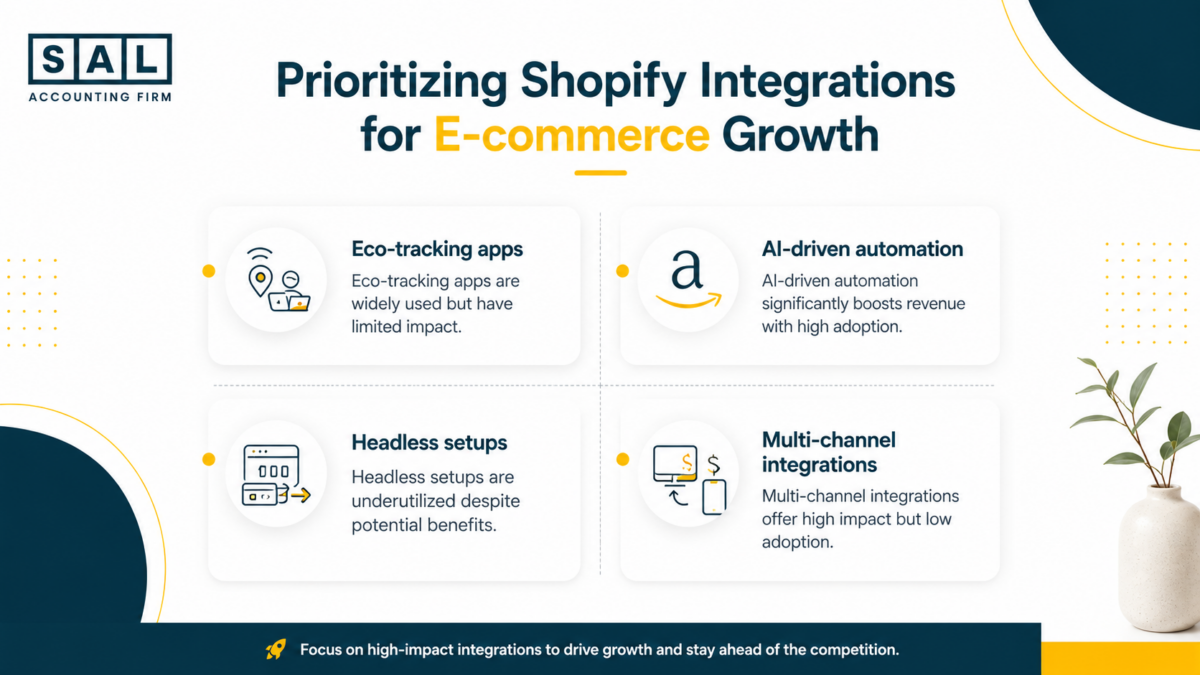
The apps above cover the main operational needs of a growing Shopify store, but adding all of them at once is not the right approach. More apps mean more load on your storefront, more integrations to maintain, and more monthly cost.
A sensible starting point for most stores: A2X or Synder for accounting, Klaviyo for email, ShipStation for fulfillment, and GA4 for analytics. That combination covers the highest-impact areas at a cost of roughly $30 to $60 per month to start, and each tool has a clear path to scale as your volume grows.
Add Gorgias when support volume starts taking up meaningful staff time. Add Triple Whale when you are spending enough on advertising that attribution data directly affects budget decisions. Add Loox or Judge.me when your product pages need social proof to close sales.
The integration stack that works at $5,000 per month looks different from the one that works at $100,000 per month. Building incrementally, and auditing what you have at least once a year, is how you avoid paying for tools that no longer match what your store actually needs.
The Financial Side of Scaling on Shopify
There is a version of this conversation that stops at app recommendations, but the stores that scale well tend to think about their tool stack and their financial operations together. Integrations that sync accurately to your accounting software are not just convenient; they are how you know whether your margins are actually what you think they are.

SAL Accounting works with Canadian Shopify and Amazon sellers on the accounting, bookkeeping, and cross-border tax side of running an ecommerce business. Their resource library at their blog covers practical topics specific to platform sellers: how payouts reconcile, how GST/HST works across channels, how to structure finances when selling into the US, and what to watch for when your books stop matching your bank statements. For store owners who want to understand the financial mechanics behind their platform; not just the apps sitting on top of it; it is worth browsing.
The right integrations save time and reduce errors. Understanding how your numbers actually work is what turns that saved time into sustainable growth.