
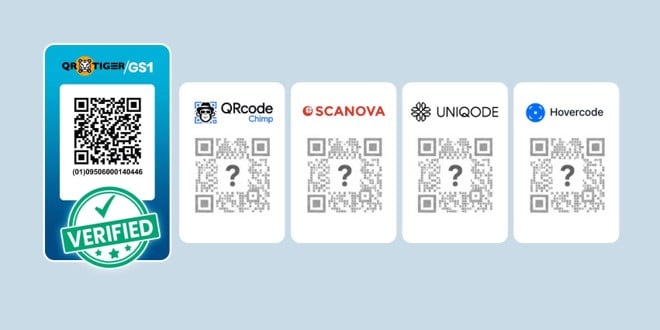
GS1 Digital Link (DL) QR codes are a new type of barcode that combines two functions into one code.
They can be scanned at retail checkout like a traditional barcode and also open a webpage when scanned with a smartphone. This allows businesses to use a single barcode for sales transactions while giving customers access to product information, instructions, promotions, and other online content.
Because of these benefits, more companies are starting to test these types of QR codes. Some want to improve product information and customer engagement. Others are preparing for industry requirements and compliance programs that support the use of these next-generation barcodes.
As adoption grows, more businesses are looking for the best GS1 QR code generator to help them create these codes correctly.
That is important because not all platforms comply properly. A code may open a webpage without problems, but the data inside may not fully follow GS1 standards. This can create issues when the barcode is used in retail stores, supply chains, and other systems that rely on standardized product data.
To help you choose the right platform, we reviewed several GS1 code generators with global rules compliance as our first priority.
Best Overall: QR TIGER
QR TIGER is the best overall generator available today because it provides the core features businesses need for GS1 compliance while also offering advanced tools beyond basic QR codes.
The platform uses a guided, step-by-step setup process, making it easier for businesses unfamiliar with technical GS1 formatting to create GS1 Digital Link QR codes.
Notably, this is the only platform we tested that actually verifies your GTIN (barcode number) during setup. It helps you catch and fix typing or copying mistakes before your QR code is created, saving you from costly printing errors.
This is especially important because there is a common misunderstanding about how dynamic QR codes work.
While you can change where the link redirects a user at any time, the actual URL encoded inside the QR code (in this case, the GS1 Digital Link) cannot be changed once it is generated or printed. So, making sure you get this part correct from the start is essential.
Users can also add more than basic GTIN data, including batch numbers, expiration dates, serial numbers, and other product information. Multiple linking options are available as well, giving businesses flexibility on where the QR code directs users.
All QR codes are dynamic, meaning the destination link and its content can still be edited even after the codes are already printed.
The standout feature is the product page builder.
QR TIGER provides 10 product page themes that can be reused or redesigned for different products. Each theme includes organized sections for images, descriptions, videos, reviews, FAQs, and additional links.
Here is a sample of what we were able to make with their free plan: https://qr4.be/01/09506000134352/22/2A/10/ABC/21/12345
The platform also prioritizes scanability over visual customization. Many heavily designed QR codes may still scan on smartphones, but can create problems for retail barcode scanners.
That becomes a serious issue for GS1 implementation, especially in checkout environments where consistent scanning matters. QR TIGER keeps customization within designs while maintaining reliable scan performance.
Because at the end of the day, a visually impressive QR code means very little if scanners struggle to read it consistently.
QRCodeChimp
QRCodeChimp added GS1 QR code generation to its existing QR code platform. It includes the basic features needed to create these codes, including GTIN support, additional product data fields, and dynamic QR codes that can be updated after printing.
Users can choose from several output options, including a single URL, a platform-created product page, a dynamic PDF, or a PDF gallery that displays links to multiple PDF documents.
However, there are a few issues.
The first concern is the amount of design freedom available. QRCodeChimp allows users to heavily customize their QR codes, including designs that may fail barcode verification testing.
Users familiar with GS1 QR code printing guidelines can avoid these issues, but those unaware may create designs that look good while reducing scan performance.
Second, QRCodeChimp adds extra information to the web address stored inside the QR code. For example:
The gs1qr=tdzoqar0ebk0 portion is not part of the GS1 DL standard and appears to be used for QRCodeChimp’s internal system.
This extra data does not affect how the QR code works on phones or barcode scanners. However, it does increase the amount of information stored in the QR code.
More data creates a denser QR code, which may require a slightly larger symbol size than a QR code containing only the GS1 data needed.
Scanova and Uniqode
Both Scanova and Uniqode can generate GS1 Digital Link QR codes and include the basic features needed for product identification.
Both platforms support dynamic QR codes, extra product data, and different link options such as a single URL or a product landing page. They also provide tools for managing QR codes and their linked content.
However, during our testing, we found a few issues that keep them from being fully GS1-compliant.
The first issue is how they format data attributes in the URL. For information such as expiration dates, packaging details, and other GS1 data, both platforms used path separators (/) instead of query parameters.
GS1 Digital Link requires these data attributes to come after a question mark (?), with an equals sign (=) connecting the identifier to its value and an ampersand (&) separating additional data fields.
For example:
Correct: ?13=240101&17=260101
Incorrect: /13/240101/17/260101
The QR codes still worked during testing, but this format does not follow the standard.
Uniqode also includes a matching 1D barcode with each QR code, which is a useful feature. However, during testing, we found that the barcode was shortened to make it smaller and placed very close to the QR code.
This reduced the quiet zone, which is the white space around the QR code that scanners need to read it properly. These changes can slow down scanning and, in some situations, even cause scan failures.
Another concern is the amount of design customization available. Similar to QRCodeChimp, both platforms allow users to create heavily styled QR codes.
Hopefully, these issues will be fixed in future updates.
Hovercode
Hovercode is a clean and easy-to-use all-in-one QR generator. During our testing, we did not find issues with its GS1 Digital Link format, which is a good start.
The platform supports a single link or a link page. It also allows basic GS1 data such as batch numbers, serial numbers, and expiry dates.
However, these are only a small part of what these codes can store. GS1 has over 200 application identifiers for different types of product information. Hovercode only supports a few of the most common ones. This may work for simple products, but it can feel limited for more complex needs.
Another issue is the lack of GTIN validation. The system accepts any 14-digit number without checking if it is a real GS1 code. This can lead to mistakes before printing.
We also found a problem with other GS1 identifiers like SSCC and GLN. The platform shows support for them, but still forces a 14-digit input.
Some of these codes are not always 14 digits, so they cannot be entered correctly. If a platform supports these identifiers, it should also accept their correct format. Otherwise, the feature does not work properly.
Hopefully, this will be improved in future updates so full GS1 support can be done correctly.
Use a GS1 Verified QR Code Platform
Across all tools reviewed, QR TIGER stands out as the best GS1 QR code generator.
One key reason is compliance strength. QR TIGER follows Digital Link rules closely and is built with the correct GS1 structure from the start.
It follows Member Organization standards by working with them and by providing feedback from testing based on those rules. As a result, it is a partner solution of GS1 US, GS1 UK, and GS1 Singapore.
It also has strong practical features. The newest update is GTIN validation, which helps catch errors before generating QR codes. It supports dynamic QR codes, structured product data, and product pages with clear layouts.
During comparison, other platforms showed gaps in validation, data structure, or scan reliability. Some still work, but may carry risks in strict retail environments.
For businesses that want both GS1 compliance and strong real-world functionality, QR TIGER remains the most reliable choice.