
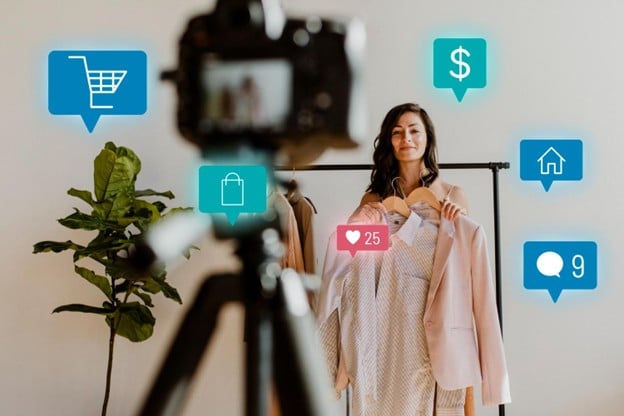
Selling on social platforms can look simple from the outside: it feels like all you have to do is post an item and have people that want to purchase it messaging you. But what usually trips people up is everything around the post: different rules, payment holds, returns, and visuals that fall apart once the platform compresses them.
So what social selling strategies are there and how should one approach selling products on social media?
Pick Platforms Based On How People Buy
Instagram is strong for products people choose with their eyes: fashion, beauty, home décor, food, handmade items, gifts.
If your product solves a problem fast, TikTok and YouTube Shorts can sell it in seconds. If your offer needs a lot of explanation, you can still sell there, but you’ll preferably need a series.
Facebook still matters for local businesses, services, and anything where customers want to ask questions before paying.
Pinterest is good for products people plan and save for later (home, weddings, crafts, design).
And choose regular YouTube when customers research before buying or want longer walkthroughs.
Keep Platform Guidelines in Mind
Before you go all in, spend time on platform guidelines that affect commerce, ads, and restricted categories. It’s not exciting, but it prevents sudden account issues.
Common Reasons Posts Or Listings Get Blocked
Most platforms limit certain product categories, even if the product is legal where you live. The list varies, but it often includes weapons, tobacco, adult products, and supplements with strong health claims. Another frequent issue is content that sounds like a guarantee.
Copyright problems also matter. Music, clips, or images you do not own can lead to muted audio, removals, or reduced distribution.
Requirements That Surprise New Sellers
These aren’t secrets, but many people miss them:
- Shopping features may depend on your country, your account type, and business verification.
- Some platforms expect clear shipping and return information, especially with in-app checkout.
- Mismatched business info (name, address, website, category) can slow approvals.
- New sellers sometimes see delayed payouts, especially after a sudden jump in orders.
If you need fast payouts to restock, plan for that. Assume your first month will be slower and messier than you want.
Taxes, Payouts, And The Boring Stuff You Can’t Skip
A few basics to keep in mind:
- If you earn money, you generally owe income tax on profit. Track costs and expenses from day one.
- Depending on where you live and where your buyers live, you may need to charge sales tax, VAT, or GST.
- Some payment providers and platforms report seller income once you pass certain thresholds.
Rules vary a lot, so don’t copy someone else’s setup without checking what applies to you. If sales become meaningful, talk to a local accountant.
Also decide how you take payments:
- In-app checkout (if available)
- Website checkout
- Invoices
- Payment links sent through DMs
Each option changes how disputes, refunds, and customer data work.
Make The Buying Step Obvious
Many posts look great and still sell nothing because the next step is unclear. If someone has to figure out whether they should comment, DM, or tap a link, plenty of them will do nothing.
A product post should answer, clearly:
- What the item is
- Price or price range
- Key options (size, color, version)
- Where you ship and how long it usually takes
- If you run a hybrid retail store, say whether local pickup is available and what the pickup steps are
- How to buy (link, shop tag, DM)
- What happens if they need a return
If you sell via DMs, write a short reply template you can reuse. That speeds up your response time.
Visual Requirements That Help People Say Yes Faster
Remember that you need visuals that show the product clearly and quickly.
Products That Usually Sell Better On Camera
Some products naturally perform well because the viewer can understand the result without effort:
- Food and drinks (texture, portion size, freshness)
- Clothing and accessories (fit, fabric, movement)
- Home items (before/after setups, how it looks in a room)
- Handmade products (detail shots and process clips)
- Simple problem-solvers (small tools, organizers, gadgets)
Services, digital products, and B2B offers can sell too, but they usually need examples and outcomes. People want to understand what changes for them after they buy.
Visual Basics That Improve Sales Content
- Use bright, steady light. Window light is often enough.
- Show scale: put the product in a hand, on a desk, in a room, next to something common.
- Show it being used.
- Keep the background clean so the product is the focus.
- Don’t make text overlays tiny because most viewers won’t pause to read.
Try to keep your posts looking like they come from the same shop. If every post feels like a different brand, it can hurt customer trust.
Use Video, Demos, And Screen Recordings To Build Customer Trust
Video answers buying questions faster than text for most products. That’s why video content for social media often makes the difference between a saved post and an order.
Video ideas that sell without feeling pushy:
- What it looks like in normal light
- How it works from start to finish
- What comes in the package
- Setup time and common mistakes
- A quick comparison between two versions you sell
A good product demo video can be simple: show the product, use it, show the result, then explain how to order.
If you sell anything digital, anything app-based, or anything that involves steps, screen recording for social media can be even more persuasive than filming. It shows the real process, prevents confusion, and also cuts down on refund requests. That’s why it can be worth learning how to screen record on Mac or Windows to help customers understand what they’re buying.
A Posting Plan
Try this cycle:
- New product post (what it is, price, who it’s for, how to buy)
- Use-case post (show it in real life)
- FAQ post (answer common objections)
- Proof post (reviews, real customer results, behind the scenes)
- Reminder post (restock, shipping cutoff, limited batch)
Final Thoughts
If you want to learn product promotion on social media, focus on the important parts: follow platform guidelines, make the buying step obvious, and show the product clearly in real use. Add video and use screen recordings when your offer involves steps or software. Do that, and you’ll be in a much better position to keep selling products on social media even when reach and trends shift.